

No Code vs Low Code: What Is the Difference
A clear breakdown of no code vs low code, who each is for, and how to choose the right approach for your team.
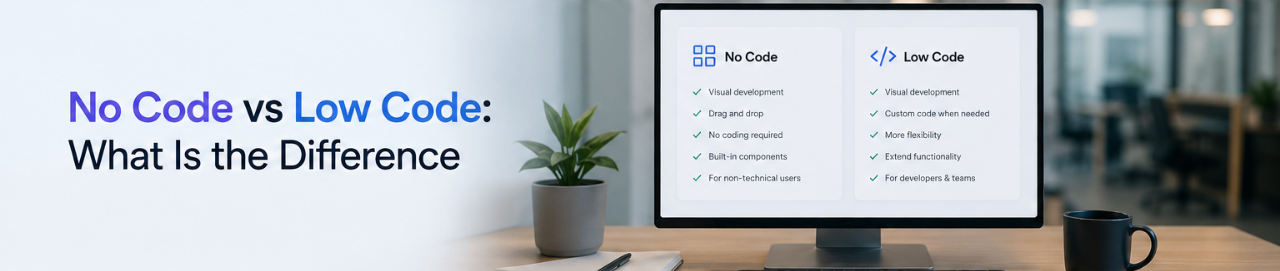
No code and low code are often used interchangeably, but they describe genuinely different approaches to building software. The distinction matters when choosing a platform, because picking a low code tool when a no code tool is needed (or vice versa) means either getting stuck in a learning curve that wasn't expected, or hitting a ceiling that wasn't anticipated. This guide breaks down what each term means, where they overlap, and which makes sense for which situations.
What Is No Code
A no code platform is one where people build working applications entirely through visual tools, without writing or editing any code at all. The platform handles the logic, database, and infrastructure behind the scenes. The person building the tool interacts only with a visual interface: dragging components, configuring settings, connecting data sources, and publishing.
No code platforms are designed to be used by people with no programming background. The assumption is that if a person can use a spreadsheet or a project management tool, they can build something on a no code platform.
Common use cases for no code: dashboards, internal portals, employee self service tools, data entry forms, workflow request systems.
What Is Low Code
A low code platform combines visual building tools with the option (or requirement) to write some code for specific parts of a build. The visual tools handle the standard parts, such as layouts, forms, and data display, while custom code is used for logic, integrations, or edge cases that the visual tools cannot cover.
Low code platforms are generally aimed at people with some technical background, or at teams that include a developer who handles the custom code portions while non-technical team members handle the visual configuration.
Common use cases for low code: enterprise workflow automation, complex integrations between business systems, applications that require custom business logic not supported by a visual builder.
Where They Overlap
In practice, the line between no code and low code has become blurry, especially as platforms add AI features and more configuration options. A few things to keep in mind:
- Many platforms market themselves as no code but actually require some scripting or formula writing for advanced use cases. Whether that counts as "code" is partly a matter of perspective.
- Some low code platforms have become easier to use over time and now have large portions of their product accessible to non-technical users.
- The Gartner projection that 75% of new enterprise applications will use no code or low code by the end of 2026 treats them together as a category, since the business outcome (building without traditional development) is similar even if the approach differs.
How to Choose Between No Code and Low Code
The most practical way to decide is to think about who will be building and maintaining the tool, and what happens when something needs to change.
Choose no code if:
- The tool will be built and maintained by someone without a programming background. If a developer leaves or becomes unavailable, the tool needs to stay maintainable by an operations or IT manager.
- The use case is well-defined and the platform's visual tools cover it. For dashboards, forms, portals, and internal tools connected to standard data sources, no code platforms handle the full build without needing custom code.
- Speed and simplicity are the priority. No code platforms typically have a lower learning curve and faster time to a working tool.
Choose low code if:
- Custom business logic is required that goes beyond what a visual builder can configure. For example, complex approval routing based on multiple conditions, custom API integrations, or calculations that require programming logic.
- A developer is involved in the build and can handle the code portions while other team members handle the visual configuration.
- The application needs to scale in ways that may require custom components or integrations over time.
No Code, Low Code, and Vibe Coding
A third category worth mentioning is vibe coding, the practice of building software by describing what's wanted in plain language and letting an AI generate the code. This differs from both no code and low code in that it produces real, exportable code rather than a visual configuration.
Vibe coding is faster for prototypes but requires more technical oversight than no code, since the AI generated code needs to be reviewed for security and quality. For stable, maintainable business tools, no code platforms generally produce more predictable results. See AI App Builders and No Code Platforms: A Complete Guide for a broader look at all three.
No Code vs Low Code: Side by Side
| Factor | No Code | Low Code |
|---|---|---|
| Who builds it | Anyone | Teams with some technical skill |
| Code required | None | Some, for custom logic |
| Learning curve | Low | Moderate |
| Flexibility | Within platform's tools | Higher, with custom code |
| Maintenance | Non-technical team member | Usually needs developer for code portions |
| Best for | Internal tools, portals, dashboards | Complex workflows, custom integrations |
| Time to first working tool | Fast | Moderate |
Frequently Asked Questions
Related Topics
Build Your Internal Tools With Huddle
Huddle is a zero code application builder that connects to Google Sheets, Airtable, Excel 365, HubSpot, and Salesforce without requiring data migration. Build dashboards, forms, and portals with drag and drop widgets and publish to a shareable link in minutes.
Start building with Huddle