
AI App Builders and No Code Platforms Explained
A clear, factual guide to AI app builders and no code platforms, what they are, how they work, and how to choose one for your business.
What Is an AI App Builder
An AI app builder is a software platform that helps people create working applications using natural language prompts, automated suggestions, or AI assisted design, instead of writing code line by line. A user typically describes what they want, and the AI generates a starting layout, structure, or set of components that can then be adjusted.
AI app builders are part of a broader category that includes no code and low code platforms, which all aim to reduce or remove the need for traditional software development skills.
What Is Vibe Coding
Vibe coding is a term used to describe a style of building software where a person describes what they want in plain language, often through an AI tool, and lets the AI generate the underlying code or structure, adjusting through more prompts rather than manually writing or editing code.
The term has become popular as AI coding tools have become more capable, and it sits closely alongside no code and low code approaches. The main difference is that vibe coding usually still involves code being generated behind the scenes, even if the person building the app never directly edits it. No code platforms, by contrast, typically don't generate traditional code at all. The interface itself is the final product.
For business teams, the practical distinction often comes down to control and predictability. A no code platform with a visual builder tends to produce a more consistent, predictable result, since the building blocks are fixed and tested in advance. A vibe coding approach can be faster to start with but may require more review, since the AI generated code can vary each time.
No Code vs Low Code vs AI App Builders
These three terms overlap, but each describes a slightly different approach.
No Code Platforms
No code platforms let users build applications entirely through visual tools, such as drag and drop builders, without writing or generating code. The platform handles everything behind the scenes. This is generally the most accessible option for non technical users and the most predictable in terms of how the final product behaves.
Low Code Platforms
Low code platforms combine visual building tools with the option to write custom code for specific needs. They're often used by teams that have some technical resources but want to move faster than traditional development allows.
AI App Builders
AI app builders use artificial intelligence to generate code, layouts, or components based on natural language input. They can be a layer on top of a no code or low code platform, or a standalone tool that produces code directly. The output often still benefits from review by someone familiar with the platform.
What You Can Build With a No Code or AI App Builder
Common use cases include:
- Dashboards that pull together data from spreadsheets, CRMs, or other tools into one view
- Internal portals for things like IT requests, HR onboarding, or company resources
- Forms for data entry, approvals, or customer intake
- Customer portals that give clients a view into their account, project status, or support tickets
- Employee tools such as self service request systems or task trackers
How No Code App Builders Work
While the details vary by platform, the general process tends to follow the same pattern.
- Connect data. Link existing data sources, such as a spreadsheet, CRM, or database.
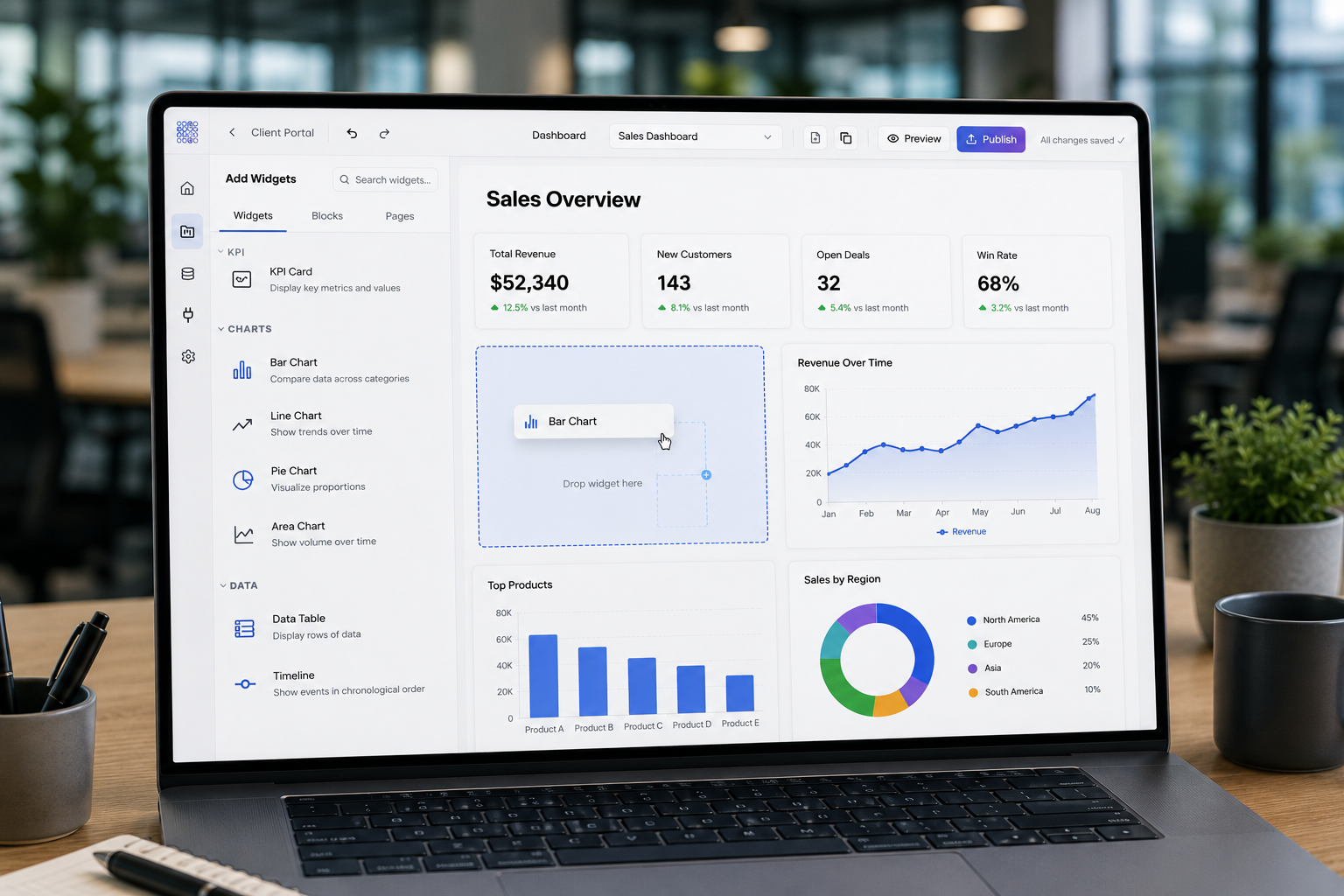
- Build with drag and drop tools. Add widgets like tables, charts, forms, and buttons to a canvas, and arrange them visually.
- Configure each element. Set up how each widget connects to the underlying data and what it displays.
- Publish. Generate a shareable link or embed the result so a team or customers can use it.
Choosing the Right No Code or AI App Builder
A few factors are worth evaluating when comparing platforms.
Data connectivity. Can the platform connect to the data sources already in use, such as Google Sheets, Airtable, or a CRM, without requiring data to be moved?
Ease of use. Is the platform genuinely usable by someone without a technical background, or does it still require ongoing developer involvement?
Scalability. Will the platform support a small team today and continue to work as the business grows, adds users, or connects more data sources?
Pricing. How does the pricing model work, and does it scale predictably as usage grows?
For a closer look at how specific platforms compare, see No Code and Enterprise Software Alternatives: A Buyer's Guide.
Related Topics
Best AI App Builders Compared. A side by side look at popular AI app builders and what each one is best suited for. See Best AI App Builders Compared.
No Code vs Low Code: What Is the Difference. A deeper breakdown of when each approach makes sense. See No Code vs Low Code: What Is the Difference.
Bubble.io Review. A look at one of the most well known no code platforms. See Bubble.io Review: Is It Right for Your Business.
Free AI App Builders: What You Get and What You Don't. What's actually included in free tiers of popular AI app builders. See Free AI App Builders: What You Get and What You Don't.
Related Topics
- what is vibe coding and how it compares to no code
- best AI app builders compared
- no code vs low code: what is the difference
- Bubble.io review: is it right for your business
- free AI app builders: what you get and what you don't
- how to build a dashboard without code
- no code and enterprise software alternatives
Frequently Asked Questions
Build Without Code Using Huddle
Huddle is a zero code application builder that helps teams turn existing data into working internal portals. It connects to Google Sheets, Airtable, Excel 365, HubSpot, and Salesforce, uses drag and drop widgets to build dashboards, forms, and portals, and publishes to a shareable link in minutes.
Start building with Huddle