

Employee Self Service Portals: What They Are and How to Build One
Learn what an employee self service portal is, what it includes, and how to build one without ServiceNow or a developer.
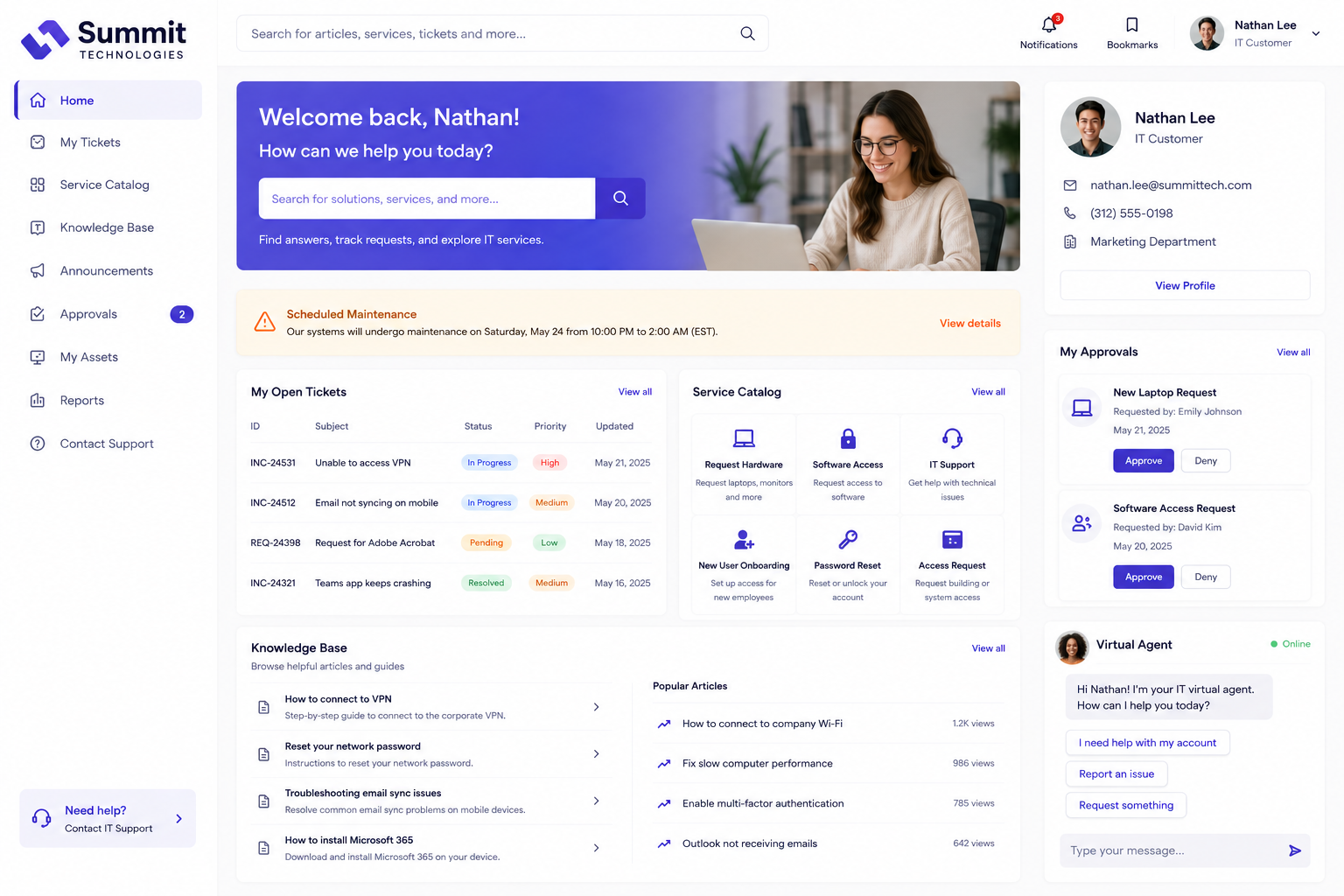
What Is an Employee Self Service Portal
An employee self service portal is an internal site that lets employees find information and complete common tasks on their own, without having to email HR, IT, or a manager for every small request. Instead of waiting on someone else, an employee can log in, look something up, or submit a request directly.
These portals are typically used to handle a mix of HR and IT tasks, along with general company information that employees need regular access to.
What an Employee Self Service Portal Usually Includes
The exact contents vary by business, but most self service portals cover a similar set of needs.
- Request forms. IT tickets, HR requests, equipment requests, or time off requests, submitted through clean forms rather than ad hoc emails.
- A knowledge base. Searchable answers to common questions about policies, benefits, software, and processes.
- Personal information. A section where each employee can see and update their own profile details, contact information, or emergency contacts.
- Company documents. Easy access to the employee handbook, benefits guides, and other shared resources.
- Status tracking. A view of open requests so employees can see where things stand without having to follow up.
Why Businesses Build Self Service Portals
Self service portals come up most often when a business is trying to reduce the volume of repetitive questions that HR and IT teams get, while also giving employees a faster way to handle their own tasks.
Fewer repeat questions. When the answers are in one searchable place, fewer one off emails come in.
Faster turnaround for employees. Submitting a structured request usually moves faster than a thread of back and forth messages.
A clear record. Requests and responses live in one place, which makes it easier to track patterns and improve over time.
Less overhead for HR and IT. Time that used to be spent answering the same questions repeatedly can be spent on higher value work.
How to Build an Employee Self Service Portal Without a Developer
A no code app builder makes it possible to put together a self service portal without writing code or running a long implementation project. The general process looks like this:
- Connect your data. Link existing HR, IT, or spreadsheet data so the portal reflects information that's already in use.
- Add request forms. Set up structured forms for the most common employee requests, with the fields and validation needed.
- Build a knowledge base section. Add searchable articles or FAQs covering the questions HR and IT answer most often.
- Add a personal section. Give each employee a view of their own information, requests, and any documents that apply specifically to them.
- Publish and share. Generate a shareable link and roll it out to the team, with permissions set so each person sees only what they should.
Self Service Portal vs ServiceNow
ServiceNow is widely used at large enterprises for IT service management and self service portals, but it's built for the scale and budgets of those organizations. For smaller teams, the cost and implementation time often outweigh the value, especially when the portal only needs to cover a focused set of HR and IT tasks.
No code platforms can offer most of the practical benefits of a self service portal, faster request handling, a single place for company information, and clear status tracking, without the enterprise level pricing or rollout. See No Code and Enterprise Software Alternatives: A Buyer's Guide for a broader comparison.
What to Look for in a Platform
When picking a tool to build a self service portal, a few things tend to matter most.
Data Connectivity
Can the platform connect to the HR system, IT data, and spreadsheets already in use, without requiring a migration?
Permissions and Privacy
Can each employee see only their own information, while HR and IT teams have the broader access they need to manage requests?
Ease of Use
Can someone outside of IT build and update the portal as policies, forms, or processes change?
Cost
Does the pricing model fit the size of the team, and does it stay predictable as more employees use the portal?
Related Topics
Frequently Asked Questions
Build Your Self Service Portal With Huddle
Huddle is a zero code application builder that connects to the HR, IT, and spreadsheet data teams already use, then turns it into a branded self service portal with drag and drop widgets. No migration, no developers, and a shareable link in minutes.
Start building with Huddle